
Are you keeping track of your SNMP risks?

SNMP (Simple Network Management Protocol) is a foundational tool for monitoring and managing network devices. However, there are a lot of security risks that often get overlooked.

1️⃣ Default Community Strings
Many devices still use public / private as default credentials. If unchanged, attackers can easily access or modify your device settings.

2️⃣ Plaintext Communication (SNMPv1/v2c)
Older versions of SNMP transmit data including community strings unencrypted. A bad actor sniffing that traffic could extract sensitive info.

3️⃣ DDoS Amplification
SNMP could be exploited and used to amplify DDoS attacks. Even small query can generate a large response, overwhelming the target.

4️⃣ Unauthorized Write Access
If SNMP write access is exposed, attackers can reconfigure devices, disrupt services, or create backdoors into your network.

5️⃣ Overexposed Device Data
SNMP can reveal interface stats, system names, and routing info data that could aid attackers in lateral movement and/or network mapping.

6️⃣ Lack of Logging & Monitoring
SNMP interactions are often under-monitored, giving attackers a quiet path for reconnaissance or tampering.

7️⃣ Open Access Without ACLs
Without robust access control, anyone, inside or outside your network, could probe SNMP-enabled devices.

It’s important to use SNMPv3 for authentication and encryption, disable SNMP where not needed and replace default community strings.
Restricting access via ACLs or VPN to segment SNMP traffic from end-user networks can greatly reduce risks.
Finally, be sure to enable logging and monitor SNMP activity
SNMP is powerful, but it needs a security-first approach.

#CyberSecurity #Networking #SNMP #NetOps #ITSecurity #NetworkManagement #ZeroTrust #SysAdmin

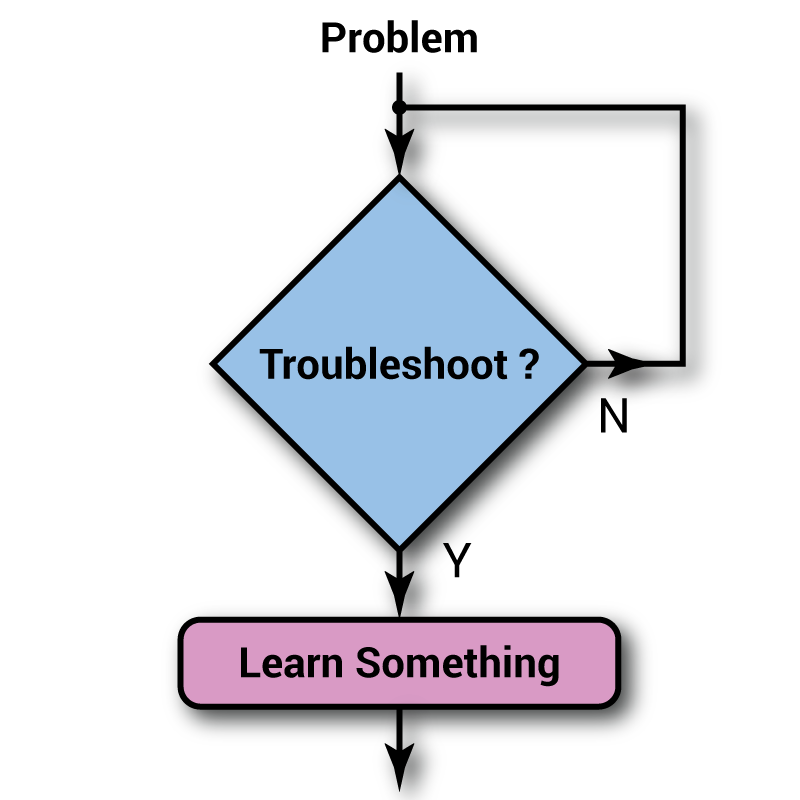
Troubleshooting: Why A Methodical Approach Matters.

In the world of high-availability, it’s easy to feel an immense pressure to solve network issues as quickly as possible. However speed without strategy leads to compounded issues. Troubleshooting isn’t just about fixing what’s broken… It’s about understanding why it broke in the first place, and how to prevent it from happening again.

There are a few core ideas that I prefer adhering to when working out complex issues:

🔍 Gather Real Data
The first step in solving any problem is understanding the scope of the issue. This means collecting accurate, tangible data like logs, error messages, interface statistics, and user reports. It’s important to screen and correlate as much information as possible with the symptoms of the problem. Assumptions don’t solve problems, but facts do.

💡 Form a Hypothesis Based on Evidence
Once you’ve been able to gather data, you can build a hypothesis grounded in what’s actually observable and reproducible. Theories about root causes should be based on measurable behavior, not a gut feeling.

🔄 Test Changes Incrementally
When it’s time to make changes, remember to do so in small, deliberate steps. Test one variable at a time, monitor the outcome, and roll back if necessary. A calm and controlled approach can prevent new issues from being introduced, and from problems compounding on top of one-another.

🧭 Follow a Documented Process
Structure is the key to success, following a logical and well documented troubleshooting process allows you to rule out potential causes methodically, providing a clear trail of what’s been tried, and what’s failed. This is especially valuable when collaborating or escalating issues.

🧘 Stay Patient and Stay Calm
Acute system issues can create urgency, but rushing often does more harm than good. Remain patient to avoid introducing additional variables into an already sensitive environment.

🛠️ Use Workarounds Wisely
In some cases, a well-implemented workaround can help restore functionality and reduce impact while the root cause is still being investigated. However, it’s important to treat workarounds as TEMPORARY (yes, I am yelling lol). Workaround solutions should always be clearly documented, closely monitored, and followed up on by a determined and focused effort to resolve the underlying issue.

📚 Understand the Technology You’re Working With
Finally, take time to research and understand the intended behavior of the protocols or systems involved. You can’t effectively fix something you don’t fully understand, context truly is everything.

Whether you’re troubleshooting a routing issue or investigating intermittent application latency, applying a structured and thoughtful approach not only resolves problems more effectively, it also builds a more resilient and maintainable network.

Troubleshooting: Why A Methodical Approach Matters.

In the world of high-availability, it’s easy to feel an immense pressure to solve network issues as quickly as possible. However speed without strategy leads to compounded issues. Troubleshooting isn’t just about fixing what’s broken… It’s about understanding why it broke in the first place, and how to prevent it from happening again.
There are a few core ideas that I prefer adhering to when working out complex issues:

🔍 Gather Real Data
The first step in solving any problem is understanding the scope of the issue. This means collecting accurate, tangible data like logs, error messages, interface statistics, and user reports. It’s important to screen and correlate as much information as possible with the symptoms of the problem. Assumptions don’t solve problems, but facts do.

💡 Form a Hypothesis Based on Evidence
Once you’ve been able to gather data, you can build a hypothesis grounded in what’s actually observable and reproducible. Theories about root causes should be based on measurable behavior, not a gut feeling.

🔄 Test Changes Incrementally
When it’s time to make changes, remember to do so in small, deliberate steps. Test one variable at a time, monitor the outcome, and roll back if necessary. A calm and controlled approach can prevent new issues from being introduced, and from problems compounding on top of one-another.

🧭 Follow a Documented Process
Structure is the key to success, following a logical and well documented troubleshooting process allows you to rule out potential causes methodically, providing a clear trail of what’s been tried, and what’s failed. This is especially valuable when collaborating or escalating issues.

🧘 Stay Patient and Stay Calm
Acute system issues can create urgency, but rushing often does more harm than good. Remain patient to avoid introducing additional variables into an already sensitive environment.

🛠️ Use Workarounds Wisely
In some cases, a well-implemented workaround can help restore functionality and reduce impact while the root cause is still being investigated. However, it’s important to treat workarounds as TEMPORARY (yes, I am yelling lol). Workaround solutions should always be clearly documented, closely monitored, and followed up on by a determined and focused effort to resolve the underlying issue.

📚 Understand the Technology You’re Working With
Finally, take time to research and understand the intended behavior of the protocols or systems involved. You can’t effectively fix something you don’t fully understand, context truly is everything.

Whether you’re troubleshooting a routing issue or investigating intermittent application latency, applying a structured and thoughtful approach not only resolves problems more effectively, it also builds a more resilient and maintainable network.

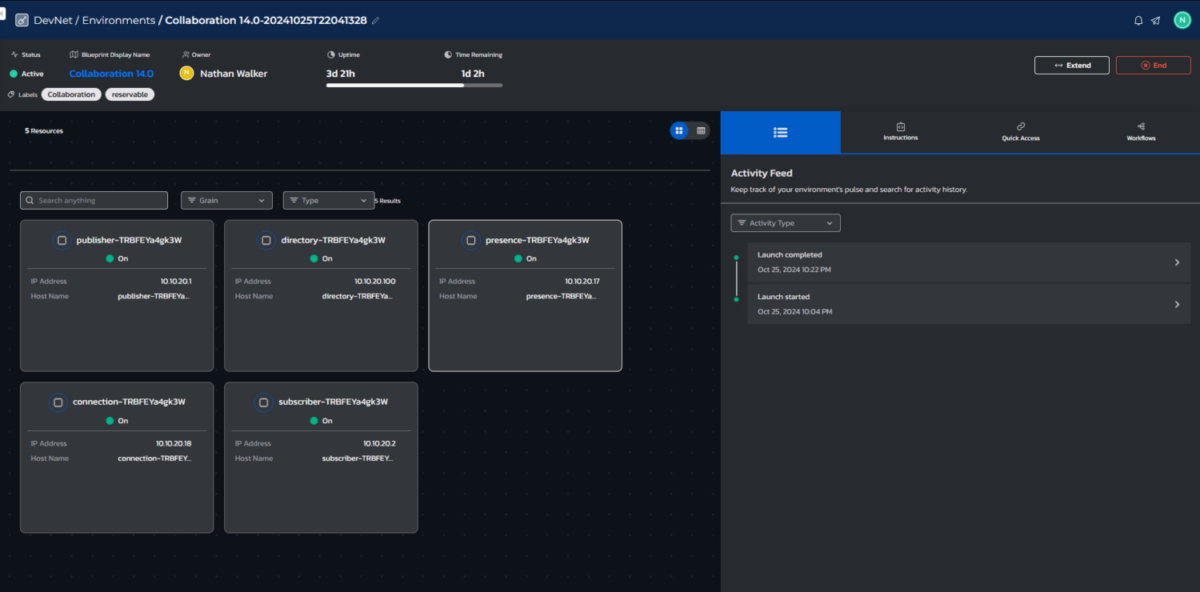
Cisco Collaboration 14.0 CUCM Lab

Key Technologies:

  • Cisco DevNet Sandbox Collaboration 14.0 (https://devnetsandbox.cisco.com/DevNet)
  • Microsoft Active Directory on Windows Server 2022
  • Cisco Unified Communications Manager Publisher
  • Cisco Unified Communications Manager Subscriber
  • Cisco Unity Connection Messaging server
  • Cisco IM & Presence server
  • Cisco AnyConnect SMC Version 4.9.04043

Accomplishments:

  • Explored IM & Presence System Troubleshooter in order to resolve NTP failures resulting in the lack of communication between services in a Collaboration 14.0 environment
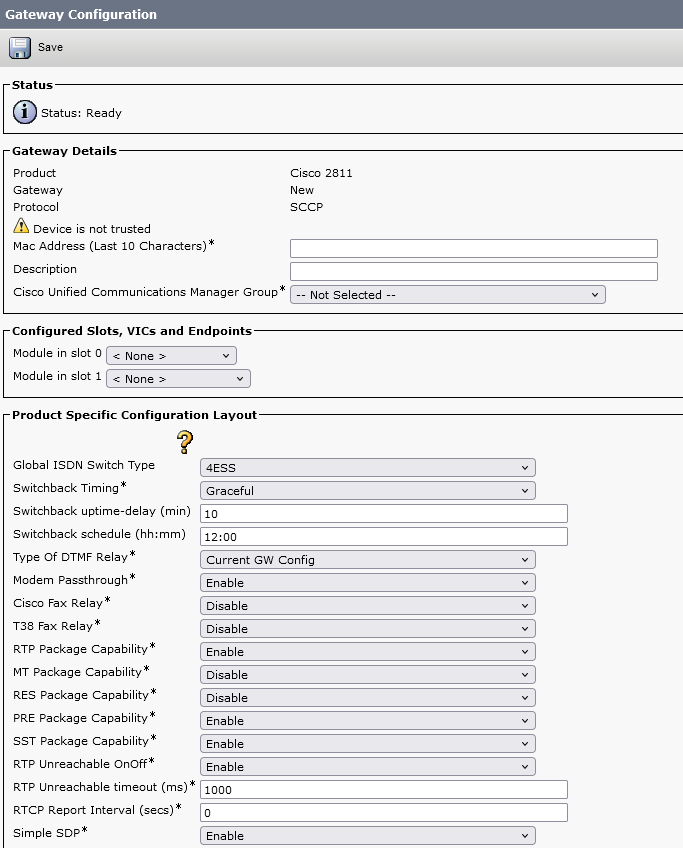
  • Explored the creation and administration of device templates, allowing for more streamlined deployment of Cisco Mobile Handsets, and Desk-phone telephony systems.
  • Administered local users within CUCM in order to assign “virtual” devices.
  • Reviewed and implemented Cisco’s best practices for device security templates within a single-site, single-cluster environment.
  • Utilized Cisco VPN access to manage, configure, and administer users within Cisco Collaboration and Windows desktop server 2022.
  • Created and utilized Calling Search Space Partitions to allow for Local, Long distance, and International calling space assignments